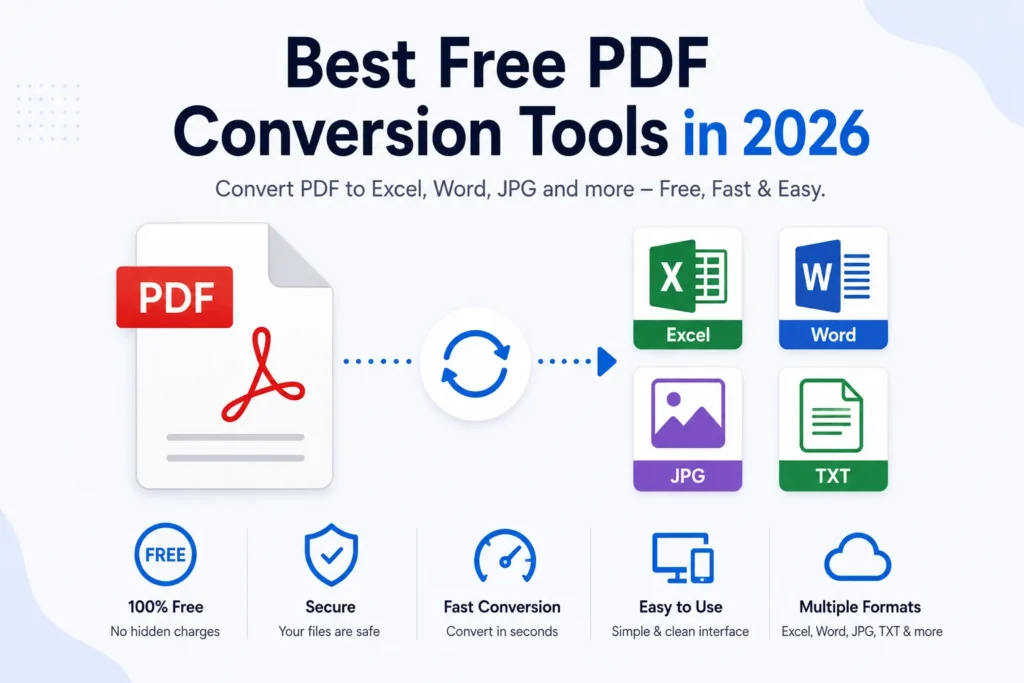
PDF conversion tools have become essential for students, businesses, accountants, office workers, and researchers. Whether you want to convert PDF files into Excel spreadsheets, Word documents, images, or editable text, modern PDF converters make the process much faster and easier.
In 2026, many free PDF conversion tools now use AI-powered OCR technology to improve accuracy, preserve formatting, and handle scanned documents more efficiently.
In this guide, we will explore the best free PDF conversion tools in 2026, their features, advantages, limitations, and how to choose the right tool for your needs.
Why PDF Conversion Tools Are Important
PDF files are widely used because they preserve document formatting across devices. However, PDFs are often difficult to edit directly.
PDF conversion tools help users:
- Convert PDFs into editable formats
- Extract tables and text
- Convert scanned PDFs using OCR
- Preserve formatting and layout
- Improve productivity
Modern AI-powered converters can even handle scanned and image-based PDFs more accurately than older tools.
You may also like:
“How to Convert PDF to Excel Without Losing Formatting”
Features to Look for in a PDF Conversion Tool
Before choosing a PDF converter, look for these important features:
OCR Support
OCR (Optical Character Recognition) helps convert scanned PDFs into editable text and spreadsheets.
Formatting Preservation
Good tools maintain:
- Rows
- Columns
- Table structure
- Document layout
Multiple Export Formats
The tool should support:
- Excel
- Word
- JPG
- PNG
- TXT
- CSV
Security and Privacy
Reliable converters should securely process files and delete uploads automatically.
Speed and Ease of Use
A simple interface and fast conversion improve user experience.
Best Free PDF Conversion Tools in 2026
1. Adobe Acrobat Online
Adobe Acrobat Online remains one of the most trusted PDF conversion tools in 2026.
Best Features
- High OCR accuracy
- PDF to Excel conversion
- PDF to Word support
- Formatting preservation
- Browser-based access
Best For
- Professional documents
- Spreadsheet conversion
- Scanned PDFs
Adobe’s OCR engine is known for reliable text extraction and formatting accuracy.
2. iLovePDF
iLovePDF is one of the most popular free online PDF conversion platforms.
Best Features
- Simple drag-and-drop interface
- PDF to Excel conversion
- Batch file support
- Cloud-based access
Best For
- Students
- Quick conversions
- Everyday PDF tasks
The platform supports OCR for scanned documents in premium mode.
3. Smallpdf
Smallpdf provides AI-powered PDF conversion and editing tools.
Best Features
- Fast PDF conversion
- OCR support
- Layout preservation
- Secure cloud processing
Best For
- Business users
- Office documents
- PDF to Excel workflows
Smallpdf is widely used because of its clean interface and reliable spreadsheet extraction.
4. PDF Candy
PDF Candy offers multiple free PDF tools with an easy-to-use interface.
Best Features
- PDF editing
- PDF conversion
- OCR support
- Batch processing
Best For
- Casual users
- PDF editing
- Multi-format conversion
PDF Candy is popular for maintaining spreadsheet formatting during conversion.
5. PDF24 Tools
PDF24 is a free PDF platform offering OCR and document conversion features.
Best Features
- Free OCR tools
- PDF compression
- PDF conversion
- Offline desktop tools
Best For
- Free OCR workflows
- Windows users
- Secure offline processing
PDF24 is considered one of the best free PDF tools for Windows users.
6. OnlineOCR.net
OnlineOCR provides free OCR-based PDF conversion services.
Best Features
- OCR text extraction
- PDF to Excel conversion
- Image to text support
- Free online access
Best For
- Simple OCR tasks
- Text extraction
- Small PDF files
The platform automatically rotates and deskews scanned PDFs for better OCR accuracy.
7. FreePDFConvert
FreePDFConvert offers browser-based PDF conversion tools.
Best Features
- PDF to Excel support
- Fast conversion
- Table extraction
- Cloud processing
Best For
- Spreadsheet conversion
- Quick document editing
- Basic OCR tasks
The platform focuses on easy PDF-to-XLS conversion workflows.
8. Nitro PDF Converter
Nitro provides online PDF conversion and editing tools.
Best Features
- PDF to Excel conversion
- Fast browser-based processing
- Formatting retention
- Business-focused tools
Best For
- Office workflows
- Professional spreadsheets
- Business users
Nitro focuses on editable spreadsheet generation with preserved formatting.
Free vs Paid PDF Conversion Tools
| Feature | Free Tools | Paid Tools |
|---|---|---|
| Basic Conversion | Yes | Yes |
| OCR Support | Limited | Advanced |
| Batch Processing | Limited | Better |
| Formatting Accuracy | Medium | High |
| File Size Limits | Common | Fewer limits |
| AI Features | Basic | Advanced |
Free tools work well for basic tasks, while paid tools provide higher OCR accuracy and better spreadsheet formatting.
Best Free Tool for Different Use Cases
| Use Case | Recommended Tool |
|---|---|
| PDF to Excel | Adobe Acrobat Online |
| Quick Online Conversion | iLovePDF |
| OCR-Based Extraction | PDF24 |
| Business Documents | Smallpdf |
| Simple OCR Tasks | OnlineOCR.net |
| Spreadsheet Formatting | Nitro PDF Converter |
Common Uses of PDF Conversion Tools
PDF conversion tools are useful for:
- Invoice processing
- Accounting
- Data extraction
- Research work
- Office documentation
- Educational projects
- Spreadsheet automation
Businesses use OCR and AI-powered converters to reduce repetitive manual work.
Advantages of Modern AI PDF Tools
Better OCR Accuracy
AI-powered OCR improves scanned document recognition.
Faster Processing
Modern converters process large files quickly.
Formatting Preservation
AI systems maintain table structure more accurately.
Easy Spreadsheet Editing
Converted files can be filtered, sorted, and analyzed easily.
Improved Productivity
Users can automate repetitive document workflows.
Challenges of Free PDF Tools
Although free PDF tools are useful, they still have some limitations.
Usage Limits
Some platforms restrict daily conversions.
File Size Restrictions
Large documents may require paid plans.
OCR Accuracy Issues
Free OCR tools may struggle with:
- Handwriting
- Complex tables
- Low-quality scans
Privacy Concerns
Users should avoid uploading sensitive files to unknown platforms.
Future of PDF Conversion Technology
Artificial intelligence is rapidly improving OCR and PDF conversion systems.
Future PDF tools may provide:
- Better handwriting recognition
- Smarter table extraction
- Real-time document analysis
- Improved multilingual OCR
- Higher formatting accuracy
AI-powered document automation will continue transforming spreadsheet and document management workflows worldwide.
Conclusion
Free PDF conversion tools in 2026 are more powerful than ever thanks to OCR and AI technology.
Whether you need PDF to Excel conversion, OCR text extraction, scanned document processing, or spreadsheet formatting preservation, modern PDF tools can help automate workflows and improve productivity.
Choosing the right PDF converter depends on your needs, file type, OCR requirements, and formatting expectations. AI-powered tools now provide faster, smarter, and more accurate document conversion for students, businesses, and everyday users.