Image to Excel conversion has become much faster and more accurate thanks to modern AI-powered OCR tools. Instead of manually typing data from screenshots, scanned documents, invoices, receipts, or tables, users can now extract and convert information into editable Excel spreadsheets within seconds.
Businesses, accountants, students, researchers, and office professionals are increasingly using AI tools to automate data extraction and improve productivity.
In this guide, we will explain the best AI tools for Image to Excel conversion, their features, advantages, and how AI-powered OCR technology is changing spreadsheet automation.
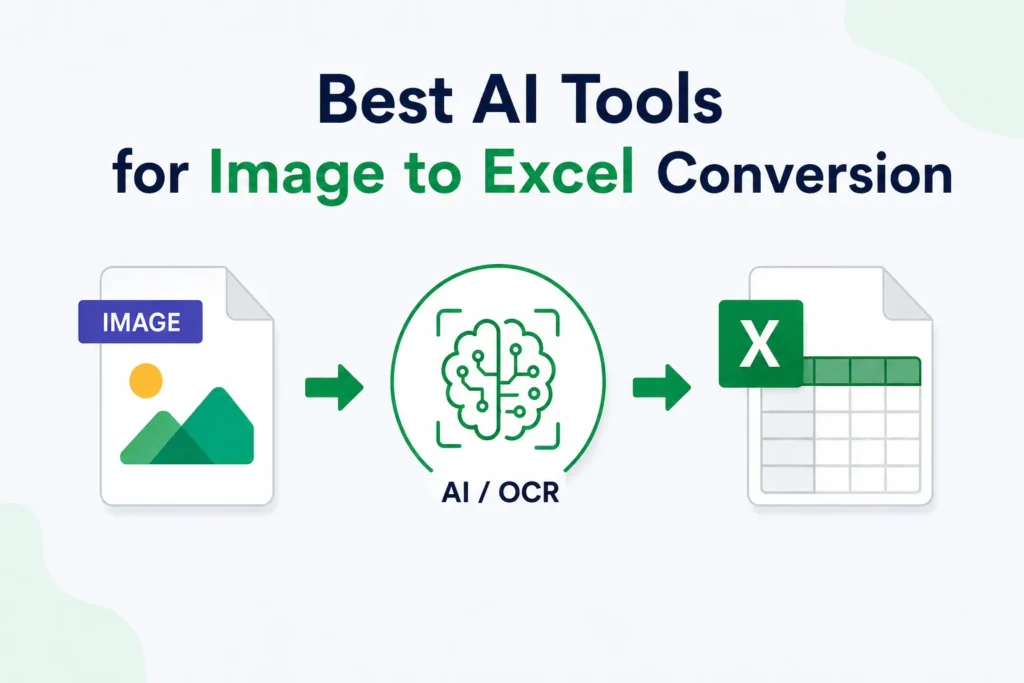
What is an AI Image to Excel Tool?
An AI Image to Excel tool is software that uses:
- OCR technology
- Artificial intelligence
- Machine learning
- Table recognition systems
to extract:
- Text
- Numbers
- Rows
- Columns
- Spreadsheet structures
from images and convert them into editable Excel files.
These tools support:
- JPG
- PNG
- Screenshots
- Scanned documents
- Receipts
- Handwritten tables
Modern AI systems can also preserve table formatting and improve extraction accuracy.
Why AI Tools Are Better Than Traditional OCR
Traditional OCR systems only recognize printed text patterns. AI-powered tools go further by understanding:
- Table layouts
- Spreadsheet structures
- Cell alignment
- Handwriting styles
- Complex formatting
AI-based OCR tools provide:
- Better accuracy
- Faster processing
- Smarter table detection
- Improved formatting retention
This makes them ideal for spreadsheet automation and document processing.
Best AI Tools for Image to Excel Conversion
1. Microsoft Excel Data from Picture
Microsoft Excel includes a built-in “Data from Picture” feature that allows users to capture table images and convert them directly into spreadsheets.
Best Features
- Direct Excel integration
- Fast table extraction
- Mobile and desktop support
- Easy spreadsheet editing
Best For
- Students
- Office users
- Quick spreadsheet conversion
Microsoft officially supports image-based table extraction using OCR technology.
2. ABBYY FineReader
ABBYY FineReader is one of the most advanced OCR tools for document conversion and spreadsheet extraction.
Best Features
- High OCR accuracy
- Multi-language support
- Screenshot OCR
- Advanced document analysis
Best For
- Businesses
- Research work
- Professional document processing
ABBYY is widely recognized for its AI-powered OCR capabilities and support for over 198 languages.
3. Nanonets
Nanonets provides AI-powered OCR solutions designed for invoice extraction, table recognition, and spreadsheet automation.
Best Features
- AI-based table extraction
- Invoice and receipt OCR
- Smart data automation
- Machine learning customization
Best For
- Accounting
- Financial automation
- Business workflows
Nanonets is especially useful for processing invoices, receipts, and structured business documents.
4. Google Sheets OCR Tools
Google Sheets and Google OCR-based tools allow users to extract table data from images and export it into spreadsheets.
Best Features
- Cloud-based access
- Free usage options
- Google Drive integration
- Easy collaboration
Best For
- Students
- Small businesses
- Online collaboration
Google tools are popular because they are simple, accessible, and integrated with cloud storage systems.
5. Adobe Acrobat OCR
Adobe Acrobat includes advanced OCR functionality for converting scanned documents and PDFs into editable formats.
Best Features
- PDF OCR
- High-quality text extraction
- Advanced document editing
- AI-powered processing
Best For
- PDF conversion
- Office documentation
- Enterprise workflows
Adobe Scan and Acrobat are among the most widely used OCR tools for document digitization.
6. ImageToExcel.co
ImageToExcel.co is a dedicated AI-powered Image to Excel converter focused on extracting tables from screenshots, receipts, and scanned documents.
Best Features
- Layout-aware AI OCR
- Fast spreadsheet conversion
- Screenshot table extraction
- Online accessibility
Best For
- Screenshot tables
- Receipt extraction
- Quick online conversions
The platform is designed specifically for image-based spreadsheet conversion workflows.
7. LightPDF OCR
LightPDF offers AI-powered OCR tools for converting images and scanned files into editable Excel spreadsheets.
Best Features
- Batch processing
- AI OCR technology
- Table formatting retention
- Multiple file format support
Best For
- Batch conversion
- PDF workflows
- Office users
LightPDF supports multiple image formats and provides AI-powered table extraction features.
Key Features to Look for in an AI OCR Tool
Before choosing an Image to Excel converter, look for these features:
OCR Accuracy
High OCR accuracy reduces manual corrections.
AI Table Recognition
AI systems should understand:
- Rows
- Columns
- Table borders
- Spreadsheet structures
Multi-Format Support
The tool should support:
- JPG
- PNG
- Screenshots
Handwriting Recognition
Advanced AI tools can recognize handwritten tables and notes.
Batch Processing
Useful for converting multiple files quickly.
Common Uses of AI Image to Excel Tools
AI-powered OCR tools are widely used for:
- Invoice processing
- Receipt scanning
- Financial reporting
- Data entry automation
- Inventory management
- Research work
- Spreadsheet digitization
Businesses use these tools to automate repetitive document workflows and improve productivity.
Benefits of AI-Powered Image to Excel Conversion
Saves Time
Large amounts of spreadsheet data can be extracted within seconds.
Reduces Manual Work
Users no longer need to type tables manually.
Better Accuracy
AI systems reduce human data entry errors.
Easy Spreadsheet Editing
Converted data can be filtered, sorted, and analyzed easily.
Improves Productivity
Businesses can automate repetitive document processing tasks.
Challenges of AI OCR Tools
Although AI OCR technology is powerful, some limitations still exist.
Low-Quality Images
Blurred or dark images reduce extraction accuracy.
Complex Tables
Merged cells and unusual layouts may still cause issues.
Handwritten Data
Some handwriting styles remain difficult to recognize.
Multi-Language Documents
Certain tools may have limited language support.
Future of AI Image to Excel Technology
Artificial intelligence is rapidly improving OCR systems and spreadsheet automation.
Future AI tools may provide:
- Better handwriting recognition
- Real-time table extraction
- Smarter spreadsheet formatting
- Improved multilingual support
- Higher OCR accuracy
AI-powered document automation will continue transforming business workflows and data management systems worldwide.
Conclusion
AI-powered Image to Excel tools make it easy to convert screenshots, scanned documents, invoices, receipts, and tables into editable spreadsheets quickly and accurately.
Using OCR, artificial intelligence, and machine learning, these tools help users save time, reduce manual work, improve productivity, and organize spreadsheet data efficiently.
Whether you are a student, accountant, researcher, or business professional, modern AI OCR tools provide a fast and reliable solution for spreadsheet automation and document digitization.