Converting images into editable Excel spreadsheets has become much easier with modern OCR and AI-powered tools. Instead of manually typing tables, invoices, receipts, or printed documents into spreadsheets, users can now upload an image and automatically generate an editable Excel file within seconds.
Image-to-Excel conversion tools are widely used by students, accountants, businesses, researchers, and office professionals to save time and improve productivity.
In this guide, you will learn how to convert images to Excel online for free, how OCR technology works, and how to get the best conversion accuracy.
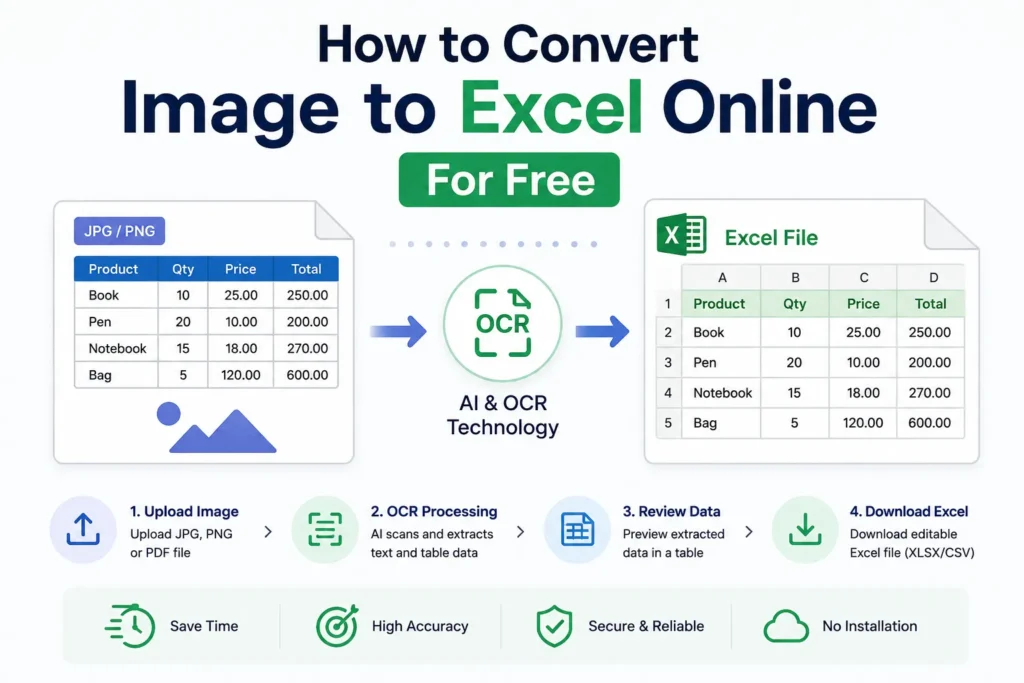
What is an Image to Excel Converter?
An Image to Excel converter is an online tool that extracts text, numbers, and table data from images and converts them into editable spreadsheet files such as:
- XLSX
- CSV
- Excel spreadsheets
These tools use OCR (Optical Character Recognition) technology and AI-based table recognition to identify data from images automatically.
You can also read:
How OCR Technology Works in Image to Excel Tools
Why Convert Images to Excel?
Many documents are shared in image format rather than editable spreadsheets. Examples include:
- Invoices
- Bank statements
- Printed reports
- Receipts
- Screenshots
- Scanned documents
Manually typing this information into Excel takes time and increases the risk of errors.
Image to Excel tools help users:
- Save time
- Reduce manual work
- Improve accuracy
- Organize data easily
- Increase productivity
How to Convert Image to Excel Online for Free
Follow these simple steps to convert image files into Excel spreadsheets online.
Step 1: Open an Image to Excel Tool
Visit a reliable Image to Excel converter website that supports OCR and AI-based table extraction.
Choose a tool that supports:
- JPG
- PNG
- Scanned images
You may also like:
“Image to Spreadsheet Converter Explained”
Step 2: Upload Your Image
Click the upload button and select your image file from your device.
Supported files usually include:
- JPG
- JPEG
- PNG
For better accuracy:
- Use clear images
- Avoid blurry scans
- Ensure the table is fully visible
Step 3: OCR Processing Starts
After uploading, the OCR system scans the image and detects:
- Text
- Numbers
- Rows
- Columns
- Table structures
AI-powered systems also analyze spreadsheet formatting and table alignment.
Step 4: Review Extracted Data
Most tools display a preview of the extracted spreadsheet data before downloading.
Check:
- Row alignment
- Missing values
- Incorrect text recognition
This helps ensure accuracy before exporting the file.
Step 5: Download Excel File
Once processing is complete, download the converted spreadsheet in:
- XLSX format
- CSV format
You can then open the file in:
- Microsoft Excel
- Google Sheets
- Spreadsheet software
Best File Types for Conversion
Most online Image to Excel converters support:
- JPG
- PNG
- TIFF
- BMP
High-quality images usually provide better OCR results.
Tips for Better Conversion Accuracy
Use High-Resolution Images
Clear images improve OCR detection and table recognition.
Avoid Shadows and Blur
Dark or distorted images reduce extraction quality.
Upload Properly Cropped Documents
Ensure the entire table is visible inside the image.
Use AI-Powered OCR Tools
Modern AI systems provide better formatting accuracy than traditional OCR tools.
Common Uses of Image to Excel Conversion
Image to Excel tools are useful for:
- Invoice processing
- Receipt management
- Bank statement conversion
- Business reporting
- Data entry automation
- Research work
- Educational projects
Businesses use these tools to automate repetitive data entry tasks and improve workflow efficiency.
OCR Technology Behind Image to Excel Tools
OCR technology allows computers to recognize text and numerical data from images.
Modern Image to Excel tools use:
- OCR engines
- AI-based table recognition
- Machine learning models
to convert image-based tables into editable spreadsheets accurately.
Advantages of Online Image to Excel Tools
Fast Processing
Most conversions take only a few seconds.
Easy to Use
No advanced technical knowledge is required.
Accessible Anywhere
Online tools work directly from browsers without software installation.
Improved Productivity
Users can automate repetitive spreadsheet tasks.
Cost Effective
Many online tools offer free conversion options.
Limitations of Free Online Converters
Although free tools are useful, they may have some limitations:
- File size limits
- Limited daily usage
- Lower OCR accuracy
- Watermarked exports on some platforms
Advanced AI tools usually provide better results.
OCR vs Manual Data Entry
| Feature | OCR Conversion | Manual Data Entry |
|---|---|---|
| Speed | Very Fast | Slow |
| Accuracy | High | Depends on user |
| Productivity | Better | Limited |
| Scalability | Easy | Difficult |
| Time Required | Seconds | Hours |
OCR technology clearly provides a more efficient solution for handling spreadsheet data.
Future of Image to Excel Conversion
AI and OCR technologies continue improving rapidly.
Future Image to Excel tools may provide:
- Better handwriting recognition
- Real-time extraction
- Smarter table analysis
- Improved multilingual support
- Higher formatting accuracy
AI-powered document automation is expected to become an important part of business operations worldwide.
Conclusion
Converting images to Excel online for free is now simple and efficient with OCR and AI-powered tools.
Instead of manually typing data from invoices, receipts, screenshots, and scanned documents, users can quickly generate editable Excel spreadsheets within seconds.
Whether you are a student, accountant, researcher, or business professional, Image to Excel tools can help save time, improve accuracy, and increase productivity.
As OCR technology continues to evolve, online spreadsheet conversion tools will become even smarter and more reliable for everyday use.